Arch Linux is a powerful and flexible Linux distribution designed for users who want full control over their operating system. Unlike beginner-focused Linux systems that install everything automatically, Arch allows users to build their system step by step. This approach makes it highly customizable and efficient because only the necessary components are installed.
Developers, Linux enthusiasts, and advanced users often prefer Arch Linux because it follows a minimalist philosophy and a rolling release model. Instead of waiting for major version upgrades, users receive continuous updates that keep the system modern and secure.
Table of Contents
Quick Overview

Arch Linux Basics
| Aspect | Details |
|---|---|
| Distribution Type | Independent Linux distribution |
| Release Model | Rolling release |
| Package Manager | Pacman |
| Target Users | Intermediate and advanced Linux users |
| Desktop Environment | User chooses and installs manually |
| Official Documentation | Arch Wiki |
| Founded | 2002 |
| Creator | Judd Vinet |
Arch Linux stands out because it does not include unnecessary software by default. Users start with a minimal base system and install applications according to their needs. This results in a clean and optimized operating system.
Core Philosophy
Arch Linux follows a set of principles that guide its design and development.
- Simplicity First: Arch focuses on simplicity in system design rather than hiding complex processes. Configuration files remain transparent and easy to modify.
- User Control: System customization remains in the hands of the user. Instead of automated tools controlling everything, users manually configure components.
- Minimal Installation: The installation process includes only essential packages. Additional software is installed later according to user requirements.
- Transparency Focus: System processes and configuration files remain accessible so users understand how the system works internally.

These principles encourage learning and experimentation. Many Linux learners prefer Arch because it exposes the structure of the operating system rather than concealing it.
Installation Basics
Installing Arch Linux differs significantly from most beginner Linux distributions. Instead of a graphical installer, Arch uses a command-line installation process.
Users begin by booting from the Arch installation media and connecting to the internet. After that, disk partitions are created, formatted, and mounted before installing the base system. The installation uses the package manager Pacman to install core system packages.
Following installation, users configure system settings such as timezone, language, and network preferences. A bootloader is then installed to allow the system to start properly.
While this process may appear complex at first, the detailed documentation provided by the Arch Wiki makes each step easier to understand. Many users consider the installation process itself a valuable learning experience.
Package System
- Pacman Manager: Software installation and updates are handled through Pacman, a fast and efficient package manager.
- Official Repositories: Arch provides official repositories containing thousands of stable software packages for development, productivity, and system tools.
- Community Repository: The Arch User Repository allows users to share package build scripts for software not found in official repositories.
- Rolling Updates: Instead of fixed releases, Arch continuously provides updates so users always run the latest software versions.
This package ecosystem gives Arch Linux remarkable flexibility. New tools and updates appear quickly, often faster than in many other Linux distributions.
Desktop Options
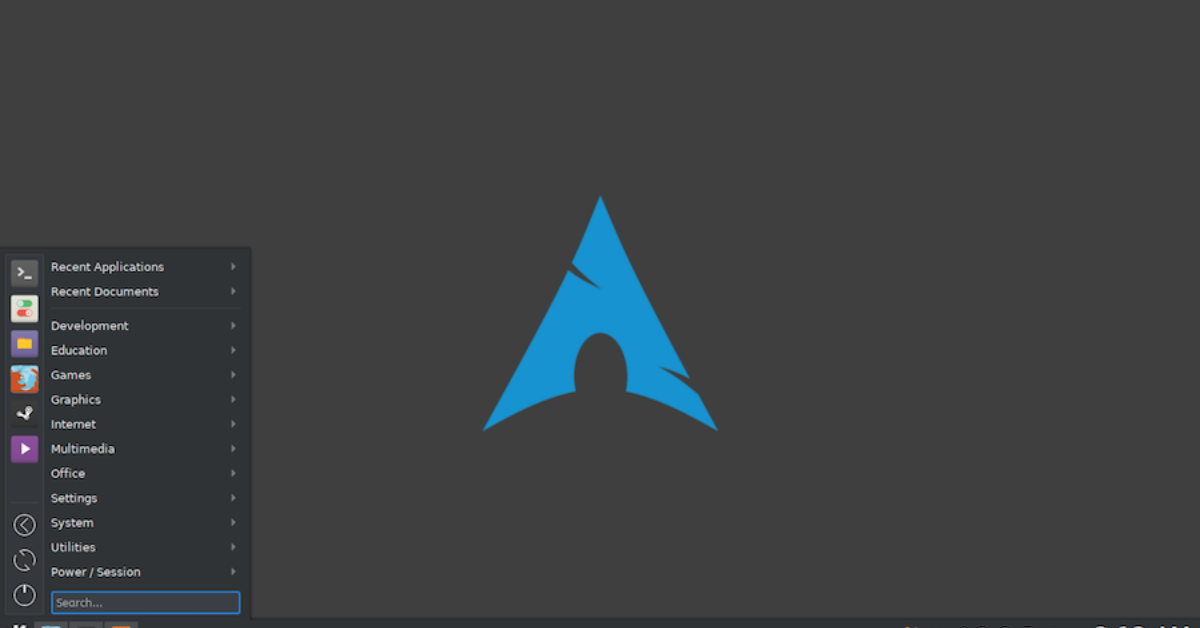
Arch Linux does not install a graphical desktop automatically. Users can choose their preferred environment after the base installation.
Popular desktop environments include GNOME, KDE Plasma, and XFCE. Each environment offers different features and performance characteristics.
GNOME provides a modern interface focused on productivity and minimalism. KDE Plasma offers extensive customization options and advanced visual features. XFCE focuses on speed and efficiency, making it ideal for older computers.
Some advanced users prefer lightweight window managers such as i3 Window Manager, which allow keyboard-driven workflows and minimal resource usage.
Because Arch Linux gives users complete freedom, the final desktop experience can vary widely depending on individual preferences.
Community Support
The Arch Linux community plays an important role in maintaining and improving the distribution. Users contribute documentation, software packages, and troubleshooting guides that help others learn the system.
One of the most valuable resources is the Arch Wiki. It contains detailed instructions for installing software, configuring hardware, and solving technical problems. Even users of other Linux distributions often consult the Arch Wiki for technical guidance.
Online forums, discussion boards, and open-source collaboration platforms also help users exchange knowledge. This strong community ensures that Arch Linux remains continuously updated and well-documented.
Learning Benefits
Using Arch Linux can significantly improve a user’s understanding of how Linux systems operate.
Manual configuration teaches users about system architecture, package management, and Linux command-line tools. Over time, this hands-on experience helps users develop greater technical skills.
Developers also benefit from Arch Linux because the rolling release model provides early access to new programming tools and libraries. This allows them to test and develop software with the latest technologies.
Because Arch focuses on learning and customization, many experienced Linux users consider it one of the most rewarding distributions to use.
Final Thoughts
Arch Linux remains one of the most respected Linux distributions in the open-source world. Its minimalist design, rolling release updates, and powerful customization options make it ideal for users who want complete control over their system.
Although it may not be the easiest distribution for beginners, users willing to learn the installation process and system configuration often gain valuable technical knowledge. The strong community and extensive documentation further make the learning journey manageable.
For anyone interested in understanding Linux at a deeper level, Arch Linux offers a powerful platform for exploration, experimentation, and long-term development.