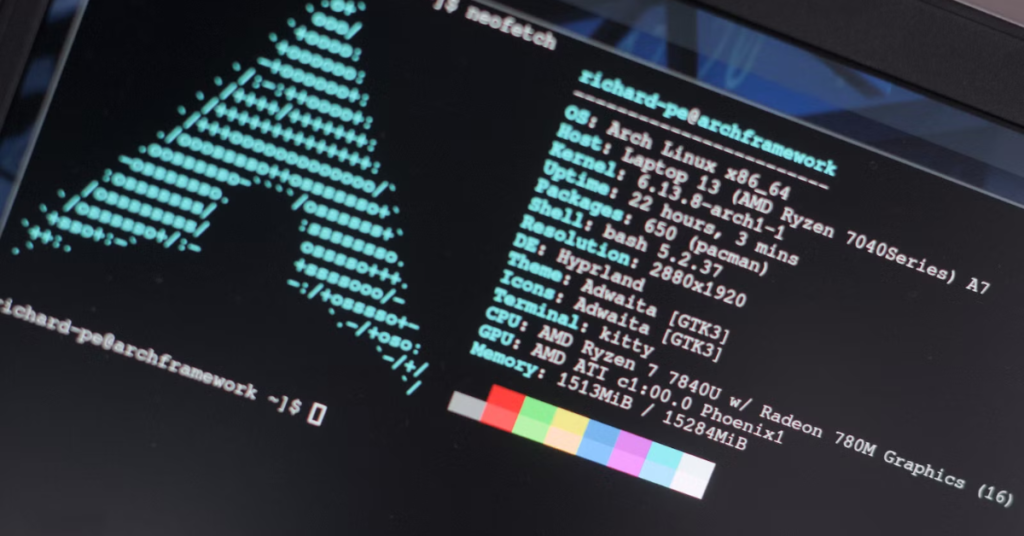
Arch Linux is highly customizable, which means RAM usage depends heavily on installed packages, services, and the chosen desktop environment. Unlike some pre-configured distributions, Arch does not impose heavy defaults, so users can optimize memory usage for better performance.
Reducing RAM usage improves responsiveness, especially on older systems or machines with limited memory. This guide covers practical methods to minimize RAM consumption on Arch Linux.
Table of Contents
Analyze RAM Usage

Before reducing memory usage, it’s important to know which processes consume the most RAM.
- Use
toporhtop
top
# or for a more visual interface
htop
- Check memory usage by service
systemctl status
Identifying memory-heavy processes helps decide which services or applications can be optimized or disabled.
Disable Unnecessary Services
Many background services consume RAM even if not needed.
- List all services:
systemctl list-unit-files --type=service
- Disable unused services:
sudo systemctl disable bluetooth.service
sudo systemctl disable cups.service
sudo systemctl disable avahi-daemon.service

Fewer active services reduce memory overhead and improve boot times.
Use a Lightweight Desktop Environment
Heavy desktop environments like GNOME or KDE Plasma consume significant RAM. For lower memory usage, consider:
- XFCE – Lightweight and minimal
- LXQt – Low resource usage
- i3 or Sway – Tiling window managers with minimal memory footprint
Install a lightweight DE:
sudo pacman -S xfce4 xfce4-goodies

Choosing a lightweight desktop environment can reduce RAM usage by hundreds of megabytes compared to heavier alternatives.
Manage Startup Applications
Startup applications load automatically and consume memory.
- Check autostart directories:
ls ~/.config/autostart/
- Remove or disable unnecessary startup programs
Editing.desktopFiles or using DE settings to disable apps reduces RAM usage immediately after login.
Managing startup applications ensures only essential programs run in the background.
Use Swap Efficiently
Swap can prevent RAM from filling, but heavy swap usage may slow the system.
- Check swap usage:
swapon --show
free -h
- Adjust swappiness:
sudo sysctl vm.swappiness=10
Setting a lower swappiness reduces swap usage, keeping more data in RAM and improving performance.
Optimize Browser Usage
Web browsers are often the largest consumers of RAM.
- Limit tabs and extensions – Close unused tabs and remove unnecessary plugins.
- Use lightweight browsers – Falkon, Midori, or Brave with minimal extensions.
- Enable content blocking – Ad blockers reduce memory load from heavy websites.
Efficient browser management prevents excessive RAM consumption, which is often the largest contributor on desktop systems.
Reduce Caching
Linux aggressively caches files to speed up disk access, but excessive caching can occupy RAM.
- Clear caches manually:
sudo sync; echo 3 | sudo tee /proc/sys/vm/drop_caches
- Use zswap for compressed RAM caching:
sudo modprobe zswap
Compressed caching keeps more data in memory without increasing swap usage.
Remove Unnecessary Packages
Arch Linux allows installing only the packages you need. Unused software consumes memory through background services.
- List orphaned packages:
pacman -Qdt
- Remove them:
sudo pacman -Rns $(pacman -Qdtq)
Removing unnecessary packages reduces background processes and memory overhead.
Monitor Memory Usage
After optimizations, continuously monitor memory usage to ensure improvements are effective.
- Use
free -h
free -h
- Graphical monitoring – Tools like
htopor DE system monitors provide real-time feedback.
Regular monitoring helps identify new memory-heavy processes introduced by updates or new applications.
Final Analysis
Reducing RAM usage on Arch Linux combines lightweight desktop environments, service management, efficient swap usage, and careful package selection. These steps free system memory, improve responsiveness, and make Arch Linux viable on older or resource-constrained hardware.
Arch’s minimal base system allows users to optimize memory precisely, giving complete control over which processes and services consume resources. With these strategies, you can maintain a fast, efficient, and stable Arch Linux environment.