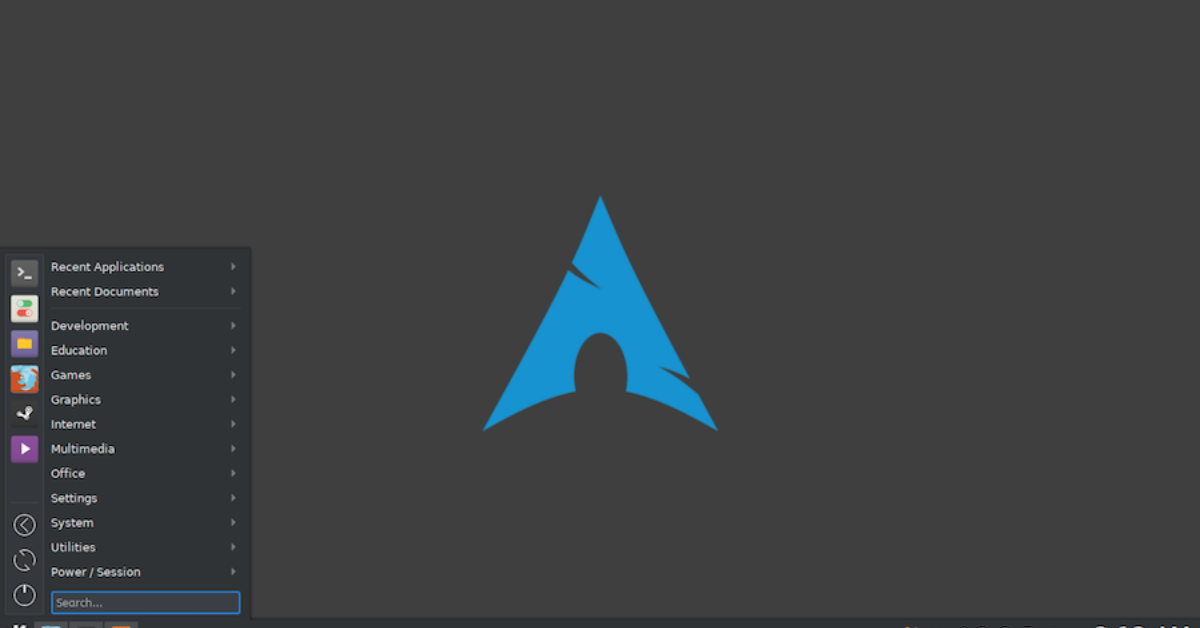
After a fresh installation of Arch Linux, the system is intentionally minimal. Unlike Ubuntu or Fedora, Arch provides only a basic command-line environment, leaving you with the freedom to choose exactly what to install. While this ensures efficiency and a lightweight system, it also means that most essential tools for daily productivity, entertainment, and development are missing. Selecting the right applications post-installation can dramatically improve your workflow and overall Arch Linux experience.
This guide highlights the best apps to install after setting up Arch Linux in 2026, covering everything from web browsing and office work to media, communication, development, system utilities, and gaming. Following these recommendations ensures a well-rounded system without unnecessary bloat.
Table of Contents
App Overview
Recommended Arch Linux Applications
| Category | Applications |
|---|---|
| Web Browsers | Firefox, Brave, Chromium |
| Office & Productivity | LibreOffice, OnlyOffice, Zotero |
| Media & Entertainment | VLC, MPV, Spotify |
| Communication | Thunderbird, Signal, Discord |
| Development Tools | VS Code, Neovim, Git, Docker |
| System Utilities | htop, GNOME Disk Utility, Timeshift |
| Gaming | Steam, Lutris, Wine |
This overview provides a structured approach to adding the applications that cover the most common use cases for both personal and professional workflows.
Web Browsers
Web browsing is one of the first needs after installing Arch Linux. A reliable browser ensures access to web apps, email, streaming services, and research tools.
- Firefox is widely supported, secure, and receives frequent updates. It’s ideal for users who want a balance of speed, privacy, and extension support.
- Brave offers ad-blocking and privacy-focused features. It’s built-in shields reduce unnecessary scripts and tracking, which can improve browsing performance.
- Chromium provides a fast and stable experience, particularly for users who rely on Google services and web development tools.
Install Firefox with:
sudo pacman -S firefox
Installing multiple browsers allows you to test website compatibility, compare speed, and balance between privacy and functionality.
Office & Productivity
For productivity tasks such as document editing, spreadsheets, presentations, and research management, a proper office suite is essential.
- LibreOffice is a full-featured office suite compatible with Microsoft Office formats. It includes Writer, Calc, Impress, and Draw.
- OnlyOffice provides a modern and lightweight alternative for office tasks, offering seamless document collaboration.
- Zotero helps manage references, notes, and citations for research or academic work.
Install LibreOffice with:
sudo pacman -S libreoffice-fresh
These applications ensure you can handle all document and research tasks efficiently without relying on online suites.
Media & Entertainment
Media playback is essential for a complete desktop experience.
- VLC is a versatile media player capable of playing nearly any audio or video format.
- MPV is lightweight, minimalistic, and ideal for users who prefer terminal or streamlined players.
- Spotify allows access to streaming music, which can be installed via Snap or the AUR.
Install VLC with:
sudo pacman -S vlc
These media applications cater to both local media playback and streaming, offering a complete multimedia experience.
Communication
Effective communication tools are vital for work and personal interactions.
- Thunderbird manages emails, calendars, and tasks in a unified interface.
- Signal ensures secure messaging with end-to-end encryption.
- Discord is essential for gaming communities and group chats.
Install Thunderbird with:
sudo pacman -S thunderbird
Having multiple communication channels ensures you can stay connected, collaborate, and manage messages efficiently.
Development Tools
Arch Linux is popular among developers due to its flexibility. Installing key development tools can transform a minimal system into a productive coding environment.
- VS Code is a powerful IDE with extensive extensions for various programming languages.
- Neovim offers a terminal-based, highly configurable editor for developers who prefer keyboard-driven workflows.
- Git is essential for version control, collaborating on projects, and managing code repositories.
- Docker enables containerized applications, making testing and deployment simpler and more consistent.
Install VS Code with:
sudo pacman -S code
These tools create a robust development environment on Arch Linux without unnecessary bloat.
System Utilities
System utilities help maintain performance, monitor processes, and manage storage effectively.
- htop provides real-time monitoring of processes, CPU, and RAM usage.
- GNOME Disk Utility allows management of partitions, drives, and file systems.
- Timeshift enables system snapshots, providing a safeguard against accidental misconfigurations or system crashes.
Install htop with:
sudo pacman -S htop
Utilities are critical for both troubleshooting and ensuring smooth system operation daily.
Gaming Tools
For gaming enthusiasts, Arch Linux supports both native and Windows games with the right tools.
- Steam allows access to thousands of native Linux games.
- Lutris manages games across multiple platforms, including Windows titles via Wine.
- Wine runs Windows applications and games, increasing the available library for Linux users.
Install Steam with:
sudo pacman -S steam
These tools make Arch Linux a viable gaming platform, whether you prefer Linux-native games or need Windows compatibility.
Last Words
After installing Arch Linux, adding essential applications transforms a minimal system into a fully functional desktop environment. From web browsing and office productivity to media playback, communication, development, and gaming, the right apps ensure your system is versatile and ready for daily use.
Arch Linux’s modularity allows you to install only what you need, keeping the system lightweight and efficient. By following this guide, you can build a modern, functional, and highly customizable desktop environment that meets your personal and professional needs.
This setup ensures Arch Linux is not just a minimal operating system but a complete, user-friendly platform suitable for work, entertainment, and development.